Nokia announced in October it will be ending all developer support for MeeGo and Symbian on January 1, 2014. Well, the deadline has passed and the Ovi Store wont accept any more apps.
Nokia announced the end of the era via the official Symbian Team account on Twitter.
In case youve missed the news, the dropped MeeGo/Symbian support and app publishing means developers will be no longer capable of pushing new apps or updates in the Ovi Store. They will continue to receive revenue from their apps, of course, and all currently available apps in the Store will remain available for download.
So, if you are interested the Ovi Store is still open and your device isnt rendered worthless just yet. But maybe, just maybe, its about time you jumped ship.
Coming out of the Apple event, it looks like OS X Mavericks is going to be available beginning today. This latest news comes just a few weeks after the gold master was made available for developers. But there is a bit more to this than simply getting access today. Apple has said they “want to get Mavericks into as many peoples’ hands as possible.” For that, OS X 10.9 is coming as a free update. There was talk about how they have re-engineered the development process over the last several years in an effort to “put out real, meaningful releases that are as easy to put on your Mac as downloading an app.” That was followed by mention of how they are also “going to revolutionize pricing.” That of course, goes back to Mavericks dropping for free.
To that point, there was also mention of how “the days of paying huge amounts of money for OS upgrades is gone.” Anyway, users that are running Snow Leopard, Lion and Mountain Lion will be able to upgrade to Mavericks. Or in other words, this means users going all the way back to a 2007 iMac will be able to get Mavericks at no charge later today.
With Apple having shared numbers about how many iOS users installed iOS 7 — it looks like they are trying to do the same with OS X. In the case of iOS 7, Apple mentioned how they were able to get 200 million devices upgraded in the first five days time. We aren’t sure how high the number will climb for Mavericks, but we can say that Apple does appear to have a leg up given this new price of free.
The iOS App Store may not have the most apps out of any mobile store anymore, since Google Play hit 1 million apps back in July; and, iOS may not be the dominant mobile platform, but developers still often publish apps to iOS first. Apple is getting into its iPad announcement event right now, and after announcing the iPhone and iOS 7 adoption numbers, the company moved on to the iOS App Store and iTunes Radio.
CEO Tim Cook says that the iOS App Store has finally hit 1 million apps in the store, which is up from the 900,000 apps that Apple announced during WWDC back in June. The App Store has seen 60 billion downloads, which is up from the 50 billion download milestone that Apple celebrated back in May. iOS developers are still raking in the cash as well, Cook says that a total of $13 billion has been paid out to developers to date.
One of the big additions to iOS 7 was iTunes Radio, and Cook says that so far 20 million people have already tried the service; and, 1 billion songs have been streamed in the month since iTunes Radio launched. Thats a pretty impressive number.
Unapologetically cylindrical Mac Pro will be priced at $2999 ,to be released officially this December
We saw some details in terms of numbers and we saw what appears to be a plan to allow Apple to serve up huge numbers for Mavericks. If you missed that bit, Apple announced that OS X 10.9 Mavericks will be released for free later today. But in addition to talk of Mavericks, Apple then went on to talk about the Mac Pro, which is going to be arriving in December. Apple already offered a look at the new Mac Pro back in June, so we suspect many will be familiar with the design. That earlier look aside, today we are getting some specs and prices, not to mention, the hype talk about how this is “a computer that packs an incredible amount of power into something an eighth the volume of before.” To that point, the new Mac Pro will feature the “fastest processor ever in a Mac.” There will be a Xeon E5 in quad 6, 8 or 12-core. There will also be faster memory, which in this case means up to 64GB of 1866MHz DDR3 ECC. Citing “amazing customers” Apple has said they built this Mac Pro so those customers could do things they can’t even imagine.
The system will run you $2,999 and ship with a 3.7GHz quad Xeon with 12GB DRAM, dual FirePro D300 with 2GB each and a 256GB SSD for storage. Again, these will go on sale in December and while they bring high-end specs that have not been seen before in a Mac — they are quiet. Apple mentioned the Mac Pro will run at 12 dAB at idle, which is just about as quiet as a Mac Mini.
iLife update for iOS and OSX ready , new purchases of hardware gets the suite free of charge
With the ushering in of new hardware on both the desktop and the mobile front, the folks at Apple this week have brought on a new collection of software updates as well. They’ve update iLife in full – working with new versions of iMovie, iPhoto, and Garageband for both iOS and OS X. These updates bring both worlds just that much closer together. With the new iMovie, the iOS universe will be able to make better use of the 64-bit architecture family of Apple Chips. There’s great focus on both editing and sharing, and there’s a new feature for both OS X machines and iOS called iMovie Theater. This theater allows movies and trailers to be seen in one place and shared over iCloud. Next with Garageband for iOS you’ll find an update straight up ready for iOS 7. This update brings on a new look and feel for OS X as well, bringing on 32 new tracks of music to work with on iPhone or iPad. A new feature in Garageband also allows you to start editing a song on an iOS device and finish it on a Mac computer, accessing this file through iCloud.
With the second-generation iPad mini now official, Apple is today slashing the price of the original model. The first iPad mini will remain in the companys tablet family priced at $299, a lower cost that could help Apple combat aggressive pricing from competitors like Google and Amazon. It doesnt quite match the $229 price point of the Nexus 7, but the original iPad mini now represents the cheapest way into Apples tablet lineup.
Announced one year ago starting at $329, the original iPad mini — along with the iPad 4 — sold three million units during its first weekend of availability. Since then, research from NPD and others has shown that the smaller-sized iPad has quickly grown just as popular, if not more so, than the larger model.
MacBook Pro 13 and 15 gets a Hanswell refresh This week with the incoming wave of OS X Mavericks announcements came the official unveiling of the 2013 Intel Core (Haswell)-packing MacBook Pro lineup. This new push for the 4th generation of Intel Core technology also has the MacBook Pro readied to be the highest-end solution for users looking for notebooks from the OS X universe, Apple also having released Haswell-readied MacBook Air units earlier this year for the lightest side of things and a brand new iMac most recently. One of the most important differentiating factors involved in the release of this newest MacBook Pro line is battery life. With the inclusion of Intel’s 4th generation Core technology and optimizations by Apple therein, these new machines will be given a relatively massive boost in battery life on an everyday ordinary run. We’ll be giving them a full run-down once we’ve got them in for review, of course. Apple suggests the 13-inch MacBook Pro refresh will work with up 9 hours of iTunes video playback.
“We have an amazing line-up of desktops and notebooks, and we’ve had one focus since the beginning – to build the best computers in the world, that people just love to use” – Tim Cook
The 13-inch MacBook Pro refresh works with a 3.46 pound weight and a thinness of 0.71 inches. This version of the machine works with 4th generation Intel core technology (Haswell), of course, and Iris graphics. This makes the machine, as Apple suggests, “up to 90 percent faster”. Apple’s reveal of the newest MacBook Pro also reinforces factors like Thunderbolt and the need for highest-definition displays. Though we’re still not sitting in a touchscreen universe, Apple will be rolling out additional details for their more mobile than ever OS X Mavericks desktop operating system as well – and again, these notebooks will headline the effort.
“Our competition is different. They’re confused. They chased after netbooks. Now they’re trying to turn PCs into tablets and tablets into PCs. Who knows what they’ll do next. I can’t tell you that, but I do know we have a very clear direction, and we’re not going to slow down.” – Tim Cook
Here are 2 special-purpose USB keyboards from Logitech that might interest a group of device users.
K310 Washable Keyboard Recommended Retail Price: S$59 Connectivity: wired USB Compatible devices: Windows Award: International CES Innovations 2013 Design and Engineering Awards Honoree
Product Information: The Logitech K310 is a durable keyboard that’s easy to clean and dry. It can be submerged in approximately 30cm of water (more than any ordinary spillage) and has drainage holes at the back of the keyboard to allow for easy drying. Even after multiple washes, the characters on the keyboard would not fade as they are laser-printed and UV coated to ensure its durability. The familiar layout of the F-keys and number pad is designed in a sleek manner, giving it a contemporary look that ensures your keyboard looks and feels good (to type). The K310 is really easy and handy to use as there is no software to install and allows you to access your 12 most-used applications with a single keystroke.
My review: There is no compromise with the K310. It contains the complete set of keys including number pad, and the key actions are responsive. I like how the key mechanism is elevated so there is no way any accidental liquid spills will get inside the keyboard. No mention about whether the keyboard can work underwater, though I suspect it could. Instructions clearly states that one should dry the keyboard before re-using.
One thing is for sure: with the K310, gone were the days of keyboards that accumulate dust and bacteria in between the key grooves. And no longer do you need to throw away keyboards because its dirty.
K400r Wireless Touch Keyboard Recommended Retail Price: S$65 Connectivity: Wireless with Unifying USB receiver Compatible devices: Windows, Android Battery life: 12 months with power switch
Product Information: The Logitech K400r lets you control your laptop without getting up from the couch thanks to the 10-meter (33 feet) wireless range. The large 3.5-inch Windows 8 compatible touchpad with multi-touch navigation makes vertical and horizontal scrolling intuitive. Setup is simple, too. You just plug the tiny Logitech Unifying receiver into a USB port – no software needed. The sleek, low-profile keys feel good and barely make a sound. And you can enjoy it all for up to a year without the hassle of changing batteries.
My review: My peers who bought the earlier K400 version (that does not support Windows 8 trackpad gestures) use it mainly to hook the laptop to the TV screen and use this keyboard-and-trackpad single unit for convenience. Sad to say, the key actions are poor especially the space bar which you must hit on the centre of the bar. The keyboard layout is also cramp and so it is not possible for me to type accurately and fast.
The 3.5-inch trackpad contains all the usual gestures for Windows 8, like swipe from edge, scroll, zoom, and also has shortcut buttons for for the 4 "charm" actions. But do be careful of your right little finger, as it might touch the trackpad and move your cursor.
Despite the above unfavourable comments, this is one keyboard that you should get if you are operating Android-based TV boxes with USB port. I tried on my "no-brand" TV Box, inserted the Unifying USB receiver to the USB port, and the keyboard works instantly. Most shortcut buttons works, like volume, playback controls, "home" button, and even the on-off button. The trackpad also works beautifully, including 2-finger swipe gestures.
In short, the K400r is best used as a single-unit keyboard-trackpad to operate your Windows or Android devices in a comfortable laid-back setting. And for the price, it will serve its target segment well.
With the Samsung Galaxy S4 now out of the way the door has been thrown open for the Korean firms other high-end smartphone to get a reboot in the form of the Samsung Galaxy Note 3.
Rumours are circulating about Samsungs next super-sized handset, suggesting its going to get even bigger - even though the Samsung Galaxy Note 2 raised eyebrows with its larger size. Samsung executive J.K. Shin has confirmed the existence of the Galaxy Note 3, revealing it will feature a non-flexible 5.9-inch OLED display.
Samsung Kazakhstan has also slipped up, accidentally revealing the Galaxy Note 3 on its official website alongside the Galaxy Z4 Zoom and Galaxy Tab 3 10.1. Were constantly on the look out for Galaxy Note 3 news and youll be able to find all the latest right here. You lucky things.
Galaxy Note 3 release date and price
After a tentative Samsung Galaxy Note 3 release date of September 4 was leaked a while back the Korean firm has now revealed that it will be holding an Unpacked event on that date at IFA 2013. Weve already had one Unpacked event this year which saw the introduction of the Galaxy S4 and "Episode 2" (as Samsung is calling it) carries the tagline "Note the date" - wonder what it might be announcing?
You can expect the Samsung Galaxy Note 3 to carry a hefty price tag, probably in line with the Galaxy S4 - making it more expensive than its Chinese rivals the ZTE Grand Memo and the Huawei Ascend Mate. The Note 3 will probably set you back at least £550 (around $800/AU$770) give or take, plus there will be regional variances too. Update: In terms of when you can expect it to hit stores a report in Taiwan is suggesting the Galaxy Note 3 release date is set for September 27 - which would be three weeks after the launch event.
Does the screen need to get bigger?
Although exact specs are still unknown the general consensus seems to suggest that the Samsung Galaxy Note 3 will sport an even bigger screen than its 5.5-inch predecessor. Early reports pointed towards a whopping 6.3-inch display, which would see the handset dwarf the 6.1-inch Ascend Mate and 5.7-inch Grand Memo. Other sources have claimed that the Galaxy Note 3 could actually pack a slightly more modest 5.9-inch AMOLED screen.
We thought Samsung may have let the cat out of the bag on its own website after listing a smartphone accessory compatible with screens from "4- to 6.3-inches", potentially hinting at a massive display bump for the Note 3 - although with the announcement of the Galaxy Mega 5.8 and Galaxy Mega 6.3 this is now less likely. Screen size, then, remains a mystery but thats not the only quandary we have regarding the display on the Galaxy Note 3. Oh no, there are now reports suggesting it will be the first phone to sport a flexible OLED display.
Samsung did show off such a display at CES 2013 - although it wasnt part of a phone at the time and we reckon theres still some way to go before its ready to hit our handsets, but it certainly gives us food for thought - especially now there are reports that Samsung is mulling three designs, one of which includes a flexible option. Were also hearing that the Galaxy Note 3 may actually pack a 5.99-inch, Full HD display (although this came from unknown "inside sources"), as well as word that Samsung is potentially working on a number of variants with varying screen sizes.
Could this be Samsung replacing the Note range, or adding more feathers to its super-sized cap? With JK Shin "confirming" the existence of the Galaxy Note 3, the Samsung exec is also reported revealing the 5.9-inch OLED display the super sized handset will pack. The 6-inch screen size gets another shout out as part of an image leak on Twitter, with @punkpanda noting the screen was "accounting for 84%" of the front of the device.
We can be pretty sure that the Samsung Galaxy Note 3 will roll up running Googles Android platform, but which particular version that will be is not so black and white. Android 5.0 Key Lime Pie was expected to be announced at Googles IO event in May, but it failed to materialise and since then weve seen the search giant launch a new version of Jelly Bean, Android 4.3. However if history has taught us anything its that assuming is for fools - as weve seen numerous handsets launched with older versions of Android - but Key Lime Pie is pretty unlikely and theres no guarantee the Galaxy Note 3 will arrive with Android 4.3 on board. It could well run Android 4.2 out of the box, but he latest reports do point towards the Note 3 running Android 4.3.
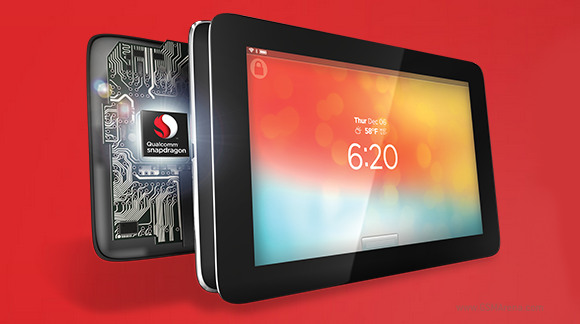
Qualcomm has announced today a new generation Snapdragon 805 chipset with better 2.5GHz quad-core processor and 4K graphics. The Snapdragon 805 delivers 4K display support in addition to the 4K video recording support, which was already available on the Snapdragon 800. More interestingly, the new chipset features a brand new Adreno 420 GPU, which has 40% more processing power than the previous generation Adreno 330 chips. The latest Snapdragon 805 chipset also comes with an improved quad-core processor. The cores have a new Krait 450 architecture and have a maximum clock speed of 2.5GHz and memory bandwidth of up to 25.6GB/s. The Krait 450 is still a 32-bit processor, so we guess there is one more generation hardware to pass before Qualcomm outs 64-bit processor cores. Qualcomm has also embedded a completely new modem called Gobi 9x35. Its manufactured on a 20nm process and is smaller, more power efficient, and, of course, faster. It supports LTE Category 4, dual-band WiFi ac and even allows 4K video streaming via Wi-Fi. Finally the new Snapdragon 805 chipset incorporates a new dedicated camera processor, which will significantly increase camera speed and might even help boost image quality. It also uses the gyro sensor to stabilize the captured photos. Qualcomm is ready to mass produce the Snapdragon 805 chips and we should see them in commercial devices in the first half of next year (the first ones will probably debut at CES in January and MWC in February). The Snapdragon 805 seems like a decent upgrade over the Snapdragon 800, but we are yet to see if it will be able to dominate the competition the way its predecessor did. GsmArena
Hi, Nokia. Hi, Symbian. Its been a while since Ive left you - the E72. I embraced Android and all its large-screen touchscreen glory. And now you have returned, as Anna. Will you win my heart again?
At one look, the Nokia E6 looks no different from the earlier QWERTY-laden E-series, which could be a good thing for users who do not like to attract attention. The build material of the back cover follows the E71 while the front is detailed after E72. In short: rock-solid.
Uncanny resemblance to the E72, no?
In its heart, though, a major revamp. Now running Symbian Anna, the E6 is a major (albeit late) improvement from E72. You get a higher-res screen of 640x480, an 8-megapixel free-focus camera, multi-touch capabilities. The E-series just got much better.
You must love the compact size, and the ability to combine QWERTY key entries with touchscreen navigation. Yet, the standard 5-way navipad still works for the traditionalists.
The back is in entire black - just like E71.
Alas, the E6 came too late in this era of touchscreen devices.
Screen size is just too small, ironically worsened by the 640x480 resolution, making all the fonts and images even smaller. Most apps are not optimised for the high resolution in 2.4" screen, which necessitates larger image thumbnails, font size and buttons
Insufficient screen space to view large content and to navigate. On Gravity app, I can only see 3 tweets per page, whereas I can view twice as much on Galaxy S.
Although Symbian is capable of multi-tasking, if you push the OS, the interface would get laggy.
Widgets does not allow resize and does not refresh as frequent as I would like to.
If you run too many background services like push mail, the phone heats up very fast and also drains battery fast. This is an existing behaviour for almost all smartphones with multi-tasking capabilities
Apps (like Dropbox) not optimised for the high-res E6. Fonts appear too small
Images appear sharp and with good contrast
E6 is an excellent upgrade to the current E-series users. The form factor has not changed yet you can now navigate the screen more intuitively via touch. It is an extremely compact device that lets you manage telephony and texting functions efficiently, and is well suited for brief review of push content. The phone is capable of handling multiple email accounts and social networking feeds if you are not particular about screen size. If the above usage pattern suits you, then the E6 should be a favourite.
Comparing screen size with Dell Streak, which is 800x600.
But if you, like me, have already ventured into the large-screen touchscreen realm, there is no turning back to the previous-generation form factor. What Nokia should have done is to increase the size of the E6 to an "acceptable level" so that the screen size and keypads are bigger. The E6 screen is simply too small to handle the social media content navigated by big fat pointers.
lumia 510 includes a rounded body in 4 terms. with bright colours, daring style, in addition because the huge screen, nokia lumia 510 appearance totally different from different smartphones that ar typically radio-controlled by the elegant flow. there in 5 bright colours with a soft matte makeup once touched. with a 4-inch screen is sort of wide, appropriate to examine photos, check e-mail attachments, and surf the sites on mobile devices.
nokia lumia 510 has brought TFT bit screen 4-inch WVGA resolution of 480 by 800 pixels. in it youll be able to get s1 flower processor and 256 mb ram. space and 4gb of internal storage, that sadly is not any external memory slot report.
no front camera, the most lens system is on the rear while not flash support. audio holes placed at the pinnacle however charging hole is below. all physical buttons lined informed one wing solely. as did the shutter button.
same with windows phone initially, youll be able to fastidiously anyone space. no have to be compelled to scroll a separate page. with live tiles, the entire subject is in a vicinity of absolute. specify the sites favorite sites, applications, and colleagues, then anyplace on the screen in order that the planet will see you in a very look. if theres a switch, wherever the plot is additionally switched. to not miss AN update-to-date.
no have to be compelled to scroll through facebook and twitter with applications severally to stay connected. with windows phone, your address book directly updated with news, pictures, and tweets from colleagues.
Features :
in the back, there ar 5Mpix camera (f / a pair of. 4) ideal for photographing friends and family. has enabled optical device, the camera will record VGA video dimension. and may quickly write directly to social media from the camera interface.
uniqueness lumia 510 that makes this kind isnt an equivalent because the entry-level Windows phone phonsel else that you simply will transfer the appliance "camera extras", which give edges completely digital lenses with 5Mpix camera with in-built motor vehicle concentration. nokia maps, nokia nokia drive and transport conjointly provide mapping and navigation expertise thats terribly comprehensive.
to internal memory lumia 510 space give for 4gb. it then while not the support of microSD external memory slot. only, there may be very little breath of relief through support via SkyDrive cloud-based storage, with a capability of 7gb free. with a free on-line storage on Microsoft SkyDrive, youll be able to copy files on-line. with microsoft workplace that has been enclosed on lumia 510, youll be able to transfer, edit, and share documents whereas on the track.
In terms of navigation gps lumia 510 will fairly be reliable, through application support nokia maps and nokia drive. 2g network property sector worked, 3G/HSDPA, WLAN b / g / n and Bluetooth a pair of. . adequate enough to access the virtual nature path or chat with the device / different media.
Performance :
lumia 510 is in white, black, red, yellow, and cyan. nokia lumia 510 hood that s1 flower processor. simply havent been reportable here detail the speed of the central processor. However, a minimum of be equivalent central processor cortex-a5 closely-held lumia 610. its memory capability 256mb ram, that appears to be able to face the obstacles that suits her application limitations.
with electric battery capability of 1300mAh, lumia 510 is claimed to last up to 653 hours standby. however, the period of the talks will store up to 8 hours. restricted once used as music playback, then the lumia 510 will play the song up, 5 days.
same brother nokia lumia 610, lumia 510 sort isnt supported NFC technology (near field communication). exercise of the package Windows Phone 7.5, the longer term may be updated to Windows Phone 7.8.
We first crossed paths with the Lenovo IdeaPad U410 around this time last year, finding it to be a very tidy little package, even if it strained the Ultrabook name a little. Its mid-range price belied some rather useful specs, though, such as a dedicated graphics card and an uncommonly large hard drive.
This years Lenovo IdeaPad U410 Touch is basically the same, but better, for the same price - its like the refreshes Apple does with its MacBook Pros and MacBook Airs, but this is actually more wide-reaching. The CPU is slightly faster, the dedicated Nvidia graphics are significantly more capable, the hard drive size is boosted from 750GB to 1TB (in an Ultrabook) and the RAM is up to 8GB. Oh, and the 14-inch screen is now 10-point multi-touch.
So while the name change from the original Lenovo U410 to the Lenovo U410 Touch here might draw attention to the touchscreen, its not the special part: its everything else in it thats noticeable. And this really carries through to the price: with a full recommended retail price of £749.99 / US$1,049 (around AU$1,225), you can already find the Lenovo IdeaPad U410 Touch discounted to around £600 / US$840 online, making the lower-specced and higher-priced Samsung Series 5 Ultra Touch look less appealing in comparison.
That said, Lenovo has had to make compromises to get this balance of specs and price: this may still just about qualify as an Ultrabook, but its thicker and heavier than most of its thin-and-light rivals. At 2kg (4.4lbs), its a full third heavier than the Samsung mentioned earlier, and at 22.9mm (0.9 inches) thick, its perhaps more quite-portable than ultra-portable. In terms of looks, its pretty much identical to its predecessor, and similar to its little brother, the Lenovo U310, though less funky, perhaps. Our review unit had a black lid and bottom casing, with a grey keyboard housing. The build is about as sturdy as they come, for the most part.
Its all plastic, though comparisons to Apples MacBook range are inevitable when youre looking at it head on - the grey keyboard surround has a kind of faux-aluminium texture to it, and it has black keys and an all-black screen. Though the design feels borrowed, its been borrowed well - the Lenovo IdeaPad U410 Touch is smart, and wouldnt look out of place in an office or at home.
Specifications
In the fairly samey world of Ultrabooks, the Lenovo U410 Touch stands as a giant among men. Well, maybe not a giant, but certainly some sort of professional basketball player. In a mid-range price bracket dominated by integrated graphics and medium-sized hard drives, the Lenovo IdeaPad U410 Touchs specs are certainly worth raising an eyebrow or two over.
The processor isnt anything particularly surprising. Its an Intel Core i5-3337U, which is an improvement over the 3317U in the original Lenovo U410. As you might guess, the new chip is a little bit better than the old chip, but it isnt massively different.
Sadly, the new Core i5 processor isnt one of Intels new Haswell generation chips; its Ivy Bridge, the previous generation. Haswell offers drastically improved battery life over Ivy Bridge, but the U410 Touch has to make do without that.
What you do get is a 1.8GHz clock speed, rising to a maximum 2.7GHz using Intels Turbo Boost technology. Its a dual-core chip, which is no surprise, but it does feature Hyper-Threading, meaning that it can appear as four virtual cores (though this doesnt equal quad-core performance). As a newer chip, its not something weve seen in loads of laptops just yet, though it did make it into the Dell XPS 18 portable all-in-one. Still, when youve got the similarly-priced Samsung Series 9 NP900X3D coming in with a much older and slower Intel processor, the Lenovo U410 Touch seems fairly well-stocked in the CPU department. This isnt a processor for high-intensity work, but its more then enough for most people.
The processor is backed up with 8GB of RAM, which is another small increase over the 6GB its predecessor came with. This again gives you plenty of headroom for performance in Windows 8. The tastiest part is surely the graphics card, though. The Nvidia GeForce GL710M packs 2GB of its own memory, and is a significant step up over the GL610 graphics card in last years model. Though Intels integrated graphics chips arent too bad these days, theres no substitute for a real pixel-pusher, and thats what youve got here.
Its not one of Nvidias high-end chips, its true, but it supports DirectX 11, PhysX and CUDA, so is equipped for some pretty serious gaming and graphics app use. The hard drive is similarly impressive, offering a whopping 1TB of storage. Its basically unheard of to get that much room in a laptop this size, and its actually complemented by a 24GB SSD, which enables Windows to load faster from boot or wake.
Not being entirely SSD-based means that it wont be quite as nippy around your files as Ultrabooks that do have solely SSD storage, but then, you tend to only get 128GB in those machines - not 1TB. The screen is a 1366 x 768, 14-inch affair. This is bog-standard as these things go, really - there are similar-sized laptops with lovely 1920 x 1080 screens, but they cost a lot more. That said, there are laptops in this price range with 1440 x 900 screens (such as the Samsung Series 9), but considering the better specs of the Lenovo U410 Touch compared to that machine, it seems like a fair trade-off for the price.
As far as ports go, youve got a pretty healthy collection, consisting of two USB 2.0 ports, two USB 3.0 ports, HDMI video-out, a headphone socket, Ethernet and an SD/MMC card reader. As with most Ultrabooks, theres no optical drive, so youll need to buy an external one if you want to load DVDs and CDs.
HTC Windows Phone 8S User Manual Guide - HTC Windows Phone 8S new htc windows phone 8s by there with very good color with very sleek minimalist style, similar like auto-flash 5mp camera captures incredible detail that just jumped out of a crystal-clear screen 4. 720p video playback is very easy with a 1GHz dual-core processor that zips you through your media files pretty but your ears are treated area of pulse-pounding bass, vocals and crisp high dynamic sound. large studio tone quality delivered on windows phone only has beats audio technology constitutional.
HTC Windows Phone 8S User Manual Guide
HTC Windows Phone 8S
Specification :
General
2G Network
:
GSM 850 / 900 / 1800 / 1900
3G Network
:
HSDPA 900 / 2100
SIM
:
Micro-SIM
Body
Dimensions
:
120.5 x 63 x 10.3 mm (4.74 x 2.48 x 0.41 in)
Weight
:
113 g (3.99 oz)
Display
Type
:
S-LCD capacitive touchscreen, 16M colors
Size
:
480 x 800 pixels, 4.0 inches (~233 ppi pixel density)
Multitouch
:
Yes
Protection
:
Corning Gorilla Glass
Sound
Alert types
:
Vibration, MP3, WAV ringtones
Loudspeaker
:
Yes
3.5mm jack
:
Yes
Beats Audio sound enhancement
Memory
Card slot
:
microSD, up to 32 GB
Internal
:
4 GB, 512 MB RAM
Data
GPRS
:
Yes
EDGE
:
Yes
Speed
:
HSDPA, HSUPA
WLAN
:
Wi-Fi 802.11 b/g/n
Bluetooth
:
Yes, v3.1 with A2DP, EDR
USB
:
Yes, microUSB v2.0
Camera
Primary
:
5 MP, 2592&
1093;1944 pixels, autofocus, LED flash, check quality
Features
:
Geo-tagging, touch focus, face detection
Video
:
Yes, 720p@30fps, check quality
Secondary
:
No
Features
OS
:
Microsoft Windows Phone 8
Chipset
:
Qualcomm Snapdragon S4
CPU
:
Dual-core 1 GHz Krait
GPU
:
Adreno 305
Sensors
:
Accelerometer, proximity
Messaging
:
SMS (threaded view), MMS, Email, Push Email
Browser
:
HTML5
Radio
:
No
GPS
:
Yes, with A-GPS support and GLONASS
Java
:
No
Colors
:
Fiesta Red, Atlantic Blue
SNS integration
7GB free SkyDrive storage
MP3/WAV/WMA/eAAC+ player
MP4/WMV/H.264/H.263 player
Document viewer
Voice memo/dial
Predictive text input
Battery
Non-removable Li-Po 1700 mAh battery
Stand-by
:
No official data
Talk time
:
No official data
HTC Windows Phone 8S User Manual Guide : Download Pdf
Samsung NX10 and NX100 owners rejoice! The latest firmware update offers important functions that improves your experience with the cameras.
1. Adds Panorama function, selectable via SCENE mode. With this update, Panorama is no longer exclusive to NX11.
2. Movie recording AF mode is defaulted to Continuous AF (CAF). Another important update, now your movie recording will auto focus continuously. To toggle to Single AF mode during video recording, press the preview button.
3. Improved Movie recording algorithm so that AF is more accurate and faster under low contrast or low light conditions. I dont notice any observable difference, but I suppose under extraordinary circumstances, it would show improvements.
4. Added OIS menu so that new lenses without hardware OIS buttons can be used on these legacy NX cameras to select OIS.
5. Updated i-Function on-screen guide, similar to NX11.
NX5, the other NX-series model, is excluded from the above updates.
At CES 2014, 3D printing has become one of the most exciting technology categories. With Windows 8.1 native 3D printing support, new 3D printers, and new apps available there’s no shortage of cool new 3D printing tech to experience.
During CES 2014 3D printer manufacturer Beijing TierTime launched their Windows 8.1 3D printer driver to the world. Now owners of the TierTime Up Plus 2 and TierTime Up Mini 3D printers can experience the full benefits of 3D printing support on Windows 8.1!
TierTime is known for 3D printers that are both capable and very affordable. The TierTime Up Mini costs less than $1000. and includes many features normally found on more expensive 3D printers. TierTime Up Mini features enclosed build chamber (click/tap to enlarge) For those looking for an affordable but more capable 3D printer TierTime offers the Up Plus 2 3D printer which can... Read the rest of this post --->
Updated Sony PS4 and Microsoft Xbox One do battle with eight-core AMD technology The launches of Xbox One and PS4 are a few short months away, as both consoles are about to go toe-to-toe this holiday season. Gamers are putting their pre-order money down as if its an expensive bet on which video game system will deliver the best performance over the next decade. Both systems are evenly matched in many respects and should be able to usher in the next generation of gaming that the Wii U hasnt been able to deliver. With E3 2013 in the books, we can finally get a better perspective as in a PS4 vs Xbox One comparison about their finer differences.
Xbox One DRM out the door
Sony was clearly in command following E3 when Microsoft announced its strict DRM policy that barred used game sales and required Xbox One consoles to connect to the internet once every 24 hours. The backlash was immediate. Gamers made it clear that physical copies of games should be theirs to own and resell as before. Likewise, they felt as if offline gaming should be possible, especially if ISPs or Microsofts servers go down. It has happened before and will likely happen again. Thats why Microsoft reverted its policy, sticking to the Xbox 360 method of handling DRM while also getting rid of benefits like the ability to share your Xbox One games with other consoles. PS4 and Xbox One will function like they did in the PS3 and Xbox 360 era, which is the one area in which gamers are happy to hear hasnt been "upgraded."
Console design
Both Microsoft and Sony went with very box-like designs for their next-generation consoles. The Xbox One literally put the box in Xbox, with a large black rectangular shape that has been compared to an oversized 80s VCR unit. The only thing adoring the front is a slot-loading Blu-ray disc drive, while almost all of the cable hookups are in the back, including the HDMI input port for Live TV, something the PS4 doesnt have. When Sony finally unveiled what the PS4 looked like at E3, it reminded everyone in the audience of the PS2 design. The stand - not included - really drove that point home. PS4 is smaller in size compared to the Xbox One and a little bit sleeker thanks to its angular shape and two-halves design. The Xbox One and PS4 console designs arent game changers, especially compared to the more dynamic-looking previous generation of consoles. But as a teacher may have once told you, beauty is on the inside.
The price
While Microsoft amended its always-online policy, the company has yet to backtrack on its other controversial E3-timed announcement: the higher Xbox One price. Xbox One will cost $499 in the U.S., £429 in the U.K. and $599 in Australia, a premium because it comes with the 1080p Kinect camera out of the box. The PS4 will cost $399 in the U.S., £349 in the U.K., €399 in Europe and $549 in Australia sans the PS4 camera, previously known as the PlayStation 4 Eye. Separately, the PS4 camera will cost $59 in the U.S., £54 in the U.K., and $99 in Australia, so PlayStation 4 is still cheaper even when the console and camera are combined. With wallets tighter than ever, Sony may have a distinct advantage this holiday season.
Release date
The Xbox One and PS4 release dates remain a mystery - both companies seem skittish about announcing the exact dates for their respective launches. As it stands, Xbox One is scheduled to release in November, so gamers throughout the U.S. and Europe should expect to see the system on store shelves within that 30-day window. Sony hasnt announced a PS4 release date beyond "holiday 2013," but its console is still likely to come out in November. November been the preferred month for the last six console launches, and Xbox One would bring that number to seven.
Agreeing on an AMD CPU
As much as the two warring systems are different, the heart of the Xbox One and the PS4 remain very similar. Thats because theyre both running x86 octa-core CPUs, and these eight-core processors are built by the same chipmaker, AMD. The use of AMD in the Xbox One and PS4 is certainly a switch for both companies. Previously, Microsoft had used an IBM PowerPC processor, while Sony partnered with Toshiba and IBM on its own complicated Cell processor that developers didnt warm up to. While the Xbox One will run a heavily modified eight-core AMD processor, PS4 will utilize a x86-64 "Jaguar" CPU. PS4, while a no-show at the Sony event, has similar specs
AMDs Graphics Core Next
Both console makers are also relying on AMD to design their next graphics processors that will produce the next-generation visuals that differentiate console games from the emerging smartphone market. The Xbox One marries its GPU to the CPU in a system-on-a-chip design, according to Wired, with DirectX 11.1 support. The single 40-nanometer SoC really contrasts with the two dedicated 90-nm chips found in the Xbox 360. However, it only marginally contrasts with the PS4, which also combines its AMD CPU with the chip makers GPU. In the case of PS4, the graphics processor is described as semi-custom AMD Radeon that runs at 1.8 TFLOPS. Developers are really going to appreciate PS4s 8GB GDDR5 RAM
Does Sony really scores 8GB GDDR5 RAM?
One of the most impressive things about the PS4 specs has been its use of 8GB GDDR5 RAM. Microsoft unveiled the Xbox One to have 8GB RAM as well, but its DDR3 memory variety. That may mean more to game developers in the long run as opposed to gamers themselves right now, but its still an interesting choice for the Xbox One. Further complicating this memory game is the fact that each console requires a portion of the RAM to run the operating system. PS4 reserves up to 3.5GB of memory for the OS, leaving developers with 4.5GB, according to documentation. They can sometimes access an extra 1GB of "flexible" memory when its available, but its not guaranteed. Xbox Ones "guaranteed memory" amounts to a slightly higher 5GB for developers, as the OS takes up 3GB, which probably doesnt make up for the DDR3 memory usage for most developers.
Which has the better controller?
The Xbox One controller vs the PS4 DualShock 4 controller is a debate that wont be won anytime soon, mostly because gamers already have a locked-in preference. The reason for this is that neither Sony nor Microsoft have radically changed their respective controllers over the years - theyre more like evolutions from 2000 and 2001. The DualShock 4 is a little bigger in the next-generation thanks to its unique front-and-center touchpad. Sony stuck with the dual analog sticks down in front, but at least have a central divot recess for easier gripping. Microsoft also didnt mess with success, only slightly modifying its controller in the jump to the Xbox One. Its 40 design innovations are subtle, including the tweaked D-Pad on the bottom-left of the game pad and extra rumble features. In testing the two controllers at E3 2013, Sonys DualShock 4 felt leaps-and-bounds better than the PS3 DualShock 3 controller, however, it was only catching up to comfort already provided by the Xbox 360 and now Xbox One gamepads.
Xbox One Kinect vs PS4 Eye
While Xbox One and PlayStation 4 will appeal to "core" gamers with mature launch titles, as evidenced by the strictly motion-less E3 lineup from Microsoft and Sony. However, behind-the-scenes, the two companies are charging forward with motion-sensing games thanks to the Xbox One Kinect and PS4 Camera. Microsoft designed the 1080p Kinect to track up to six skeletons for immerse video game effects that the company says is "human control for a human experience." Expanding on that motto, the packed-in Kinect 2.0 will be able to process 2GB of data per second, analyzing more joints, the slight rotation of a wrist or shoulder and your heartbeat. The PlayStation Eye, which will not come with the PS4 system, features two 1280×800px cameras inside a similarly shaped camera bar. In addition to human interaction, the DualShock 4 controller will come into play with the PS4 camera thanks to its multi-colored light bar. It will also be compatible with those PS4 Move motion controllers that have gone unused.
Xbox One Launch Games
More than the subtle differences in specs, the games that result from those specs is what will determine which console gamers choose this fall. Xbox One launch games include exclusives like Ryse: Son of Rome, Dead Rising 3, Forza Motorsport 5, Killer Instinct, LocoCycle and Kinect Sports Rivals. Also on day one is Call of Duty: Ghosts. Its not exclusive to Xbox One, but the downloadable content (DLC) is going to be a timed-exclusive (likely a month) for Xbox One gamers. Further out, notable Xbox One launch windows games are Titanfall (likely another timed-exclusive for a year) , Project Spark, and Minecraft: Xbox One Edition.
PS4 Launch Games
Sony is also stacking its PS4 launch game lineup with Killzone Shadow Fall, DriveClub, Knack and Diablo 3, all exclusives releasing on day one. Joining those games whenever the PS4 launch date happens to be will be Watch Dogs and Assassins Creed 4: Black Flag from Ubisoft. Yes, both of these highly anticipated games are also releasing on Xbox One , but PS4 (and PS3) gamers are going to see an extra hour of gameplay for each. Sony was also showing off PS4 games like inFamous: Second Son, The Witness and The Order 1886 at E3. Really, though, everyone is waiting to see what Naughty Dog has in store - possibly Uncharted 4 - and its stable of other first-party developers like SCE London Studio and Media Molecule. Indie games like Fez became smash hits in the last generation
Indie games
Heres another split decision: Sony got out in front by supporting independent game developers, attracting names like Supergiant Games, Red Barrels Studio, and Young Horses at the time of its E3 press conference. At first, Microsoft maintained that Xbox One games would require be fronted by a publisher. That changed recently when he company did another 180, announcing that not only would it allow self-publishing, every console acts as a dev kit. A free dev kit sounds appealing, especially when PS4 developer kits cost thousands of dollars. Sony has the indie developer crowd right now, but such pricey technology for tomorrows basement-run teams could decrease the companys indie following over time.
Other differences
The look of the console, the feel of the controller and the way the games make you feel make up the main differences from which consumers will decide. However, there are smaller factors potential PS4 and Xbox One buyers should consider when going to the store this holiday season. Its a good idea to converse with friends to know which system theyre going to buy. Since theres no such thing as cross-platform multiplayer, you may be split up when playing Call of Duty on PS4 when all of your friends own it for Xbox One. Both Microsoft and Sony are charging for multiplayer this generation, whereas PS3 gamers got to log into matches scott-free. However, only Microsoft is going to lock apps behind its Xbox Live paywall. Sony has confirmed that streaming video content like Netflix, Hulu Plus and MLB.TV on PS4 wont require a PlayStation Plus subscription. Next-generation console buyers who dont plan on paying the yearly fee and do plan on using the system for entertainment purposes may want to weigh that into their final decision.
Finnish-based Jolla, responsible for the MeeGo-spinoff that is the Sailfish OS, has today announced that it has hit a major milestone by achieving compatibility with both Android apps, and the hardware that usually powers Googles OS.
This will definitely make Sailfish a considerably more enticing option for manufactures that would usually think long and hard before getting involved with a new OS. And Androids sheer popularity, while a part of the equation, is hardly the sole reason for OEMs abstinence from experimenting – as great as the OS itself may be, in the end its only as good as its app ecosystem is extensive. In the case of Jolla and its nascent Sailfish OS, the aforementioned problem should prove to be much less of an issue, seeing as the company is already boasting that ultra-popular apps such as Spotify, WhatsApp and Instagram are fully functional on Sailfish. This has the potential to convince quite a few more manufacturers to give Sailfish a spin.
As is to be expected – its not all good. While Jollas brainchild wont have app developers code their titles from scratch, the Finnish company says that the Play Store wont be available. Instead, Jolla will be working with third party app stores, which are pretty popular in places like China (which, incidentally, is a market Jolla is specifically targeting), but not nearly as much in the West.
Jolla also didnt miss the opportunity to mention Nokia and its recent deal with Microsoft, and, naturally, attempt to make the best of it:
"Due to extremely positive feedback and increased demand in the past weeks, we are offering another pre-order opportunity for our second production batch later this week through jolla.com. This will be targeted to Finnish customers who want to express their passion for the Finnish mobile industry,” said Tomi Pienimäki, CEO of Jolla.
In case you didnt know, Fins, naturally, havent taken the news that the company that has turned into a sort of national symbol has been sold off very well. As you probably guessed, this means that Jolla will have the opportunity to swoop in and fill the vacuum left behind – after all, the company is made up of Nokia refugees.
Big companies are constantly filing new trademarks and patents. Some of them turn out to be new products, some don’t. Companies often trademark names just in case they might want it someday while not actually releasing a new product for it.
Today, mere hours before CES is set to begin, LG has filed a long list of new trademark names, first noticed by Phandroid, and renewed several more. Could these be new products coming this week at CES? We won’t know for sure until the show floor opens, of course, but this could be a sneak peek at what the company might have in store.
The new names registered are G Bot, Meta Drive, Fireweb, Air Gap, and Zero Gap. Some older ones that were just renewed are: Exalt, Reflex, Elite, and Motion. LG is widely expected to launch some type of fitness and/or smartwatch devices at CES (though the fitness tracking device is supposedly called Lifeband). Some of these could be names for either the devices themselves, or perhaps some service of the device. Perhaps Meta Drive is the name for a new type of movement inside a watch? Or it could be a cloud storage service.
Some speculate that Fireweb could be a Firefox OS phone, and maybe the renewed names Reflex and Motion are for the company’s upcoming fitness tracking wearable devices.
It’s worth noting here that LG makes a lot more than just consumer electronics. They also have a respected line of home appliances which have traditionally also been demonstrated at CES. So some of these names may not have anything to do with phones, tablets, or smartwatches. Maybe Meta Drive is the name for a new type of motor inside a washing machine. Or maybe G Bot is the company’s new remote vacuum cleaner. Air Gap could be a new type of appliance construction for dampening sound.
We won’t have any answers until the show starts. LG is holding an invitation only press event tomorrow morning at 8am Pacific time, and then the full show floor opens at 10am on Tuesday.
Is there anything that you’re hoping to see from LG? Do any of these trademarked names sound exciting to you?
The next iPhone will feature a radical redesign and 3D imaging smarts. Or at least it will if design don and long-time iFancier Ran Avni has anything to do with it. The latest concept iPhone from the scrapbook of Avni, who was also behind a render we covered last week, reimagines the handset with a curved 4.8-inch screen of the sort that Samsung is known to be investigating. A black and white two-tone back is also present and correct. And its features set it apart from current-gen iPhones too. Not least the eight-megapixel 3D camera, with stereoscopic smarts, which is unlikely to find favour with some of the more serious-minded hardware sorts at Apple.
One of the biggest questions we get from our readers about Google Glass, is when will prescription lens be supported. The other is when it will be released to everyone. Well the folks at Rochester Optical has come up with the pricing and they are set to bring custom lenses to Glass frames starting at $99. What’s even more exciting is that pre-orders will start “shortly after” CES, which ends January 10th.
Just last week, Rochester sent out a questionnaire last week, which was their attempt at gauging what users would be looking for in custom lenses. Users were also asked about materials, tinting and all manner of options we’d get with normal lenses at an optometrist. Additionally, users were also given the option to choose the shape of the lenses, making for a truly unique experience.
Google has already committed to bring prescriptions to Glass, but there’s is a completely different process. For Google, the tech will be moved to another frame, which has it’s own set of give and take. On one hand, we get the frames we may want for daily use. On the other, it might be best to simply bring customization to Glass, rather than tech to existing eyewear. So far Rochester hasn’t made it clear how their lenses will sit with Glass. Their representatives have noted a “lens carrier/frames” assembly, but offered no additional details. They could simply create a prescription version of the clear shield which comes with Glass, or have another method altogether. The mock-up which is shown at the beginning of this post, shows the lens sitting in the Glass frame, but that’s not something that can easily be done with Glass. So we are still going to have to see how this is going to work.
So it looks like we’ll have prescription lenses in Google Glass soon. From both Google and other retailers. Hopefully Google will release Glass to everyone shortly.
Seidio is at CES 2014 this week, and they have a few new goodies to show off. On Tuesday in Las Vegas, Seidio announced the OBEX waterproof case for the Samsung Galaxy Note 3, which is pictured above. The case sports a hefty IP58 rating, which is a bit lower than the Xperia Z1S that Sony announced yesterday. But what that means is that its waterproof for up to 30 minutes at about 2 meters. Additionally, it’s rated against dust, and for falls from 6 feet at different angles.
Seidio has also included an anti-reflection glass which protects the camera lens without getting the in way of taking those selfies for Snapchat and such. Waterproof membranes protect the speakers and microphones and rubber stoppers keep the phone’s USB and headphone ports clear of debris. So what about NFC? Well it still works. That’s right, the Seidio OBEX waterproof case does all this protection and still lets the NFC signals pass through. Which is quite amazing, in my opinion, and definitely a huge pro for this product.
The case is going to cost about $79, and if you want the holster along with it, it’s gonna cost an extra $10. Not bad for the kind of protection it’s promising. There’s no word on when it’ll be available, but hopefully before the end of the month. This is definitely a great case for those that are always paranoid about dropping their phone, which is understandable. Since you have a $700 phone and dropping it essentially breaks it, but with the Seidio OBEX waterproof case, you should have adequate protection to protect it from a drop, at least a small drop. As Seidio says, up to 6 feet. Which is better than nothing, in my opinion.
How many of you are interested in picking up the Seidio OBEX waterproof case for the Samsung Galaxy Note 3? Be sure to let us know your thoughts in the comments down below.
The new iPad mini is smaller than the other iPads also super slim and fast in the road network. Apple launched the tablet with Wi-Fi or extra cellular module. Is it worth the decision for the iPad mini? And which tariff you should choose it?
The iPad mini is just 7.2 millimeters thick and has a screen diagonal of 7.9 inches - so its much slimmer and smaller than its predecessors. It supports Wi-Fi and LTE - but like the iPhone 5 only in the 1800-MHz range, where the German Telekom radios. The screen resolution of 1024 x 769 pixels is the same as the resolution of the iPad models of first and second generation.
Prefer an iPad mini or another tablet?
Amazons Kindle Fire HD 7 (from 199 euros), Googles Nexus 7 (from 199 euros), and Samsungs Galaxy Tab 2 7.0 (from 219 euros) are all cheaper than the iPad mini and offer comparable performance - sometimes even more. Among other things the iPad competitors all have a USB port, which is not available on the iPad. In terms of maneuverability can keep the competitors. The Kindle Fire HD 7 weighs 395 grams, the Nexus 7 from Google brings 340 grams, the Samsung device only 347 grams on the scale. Thus, they are not much heavier than the little Apple model, which weighs 312 grams. All three have a seven-inch screen and with 10.3 to 10.5 millimeters equally flat - but not nearly as flat as the iPad Mini, which only 7.2 millimeters thick, but it is slightly larger.
When the display have the Google Nexus 7 and the Kindle Fire HD 7 in their price range in the lead. They have a resolution of 1280 x 800 pixels. The Samsung screen is "only" 1024 x 600 pixels, the iPad mini in 1024 x 769 pixels. Here you just have to decide what is important: Counts the price or the handiness? One is used to the intuitive use of the Apple operating system? Or the apple logo alone is reason enough to buy?
What is generally the advantage of a smaller tablet?
The 7-inch tablets have two advantages over the larger tablet with about 10 inches: they are cheaper and they are lighter. So if you travel a lot and need something compact, which is a smaller tablet advised. Similarly, 7-inch tablet suitable for beginners who want to invest too much. Tablets have a big advantage with the larger display that will meet the users who mainly want to watch movies or work graphically with the device. The iPad mini, with its 7.9 inches an interesting intermediate size, which otherwise is not common yet. Which tariff for iPad mini should you choose?
Basically you can choose any data plan that fit their own surfing habits. One must, however, ensure that the nano-SIM card is offered, the smaller version of the normal SIM card. Data rates with the required card offer in addition to the network operators and smaller players. Here one has the advantage that the tariffs are often cheaper than at the network operators, it is usually the iPad itself is not included and must be purchased separately. Anyone who gets an iPad mini with a term contract must, however not the full price of the device lie down at once, but the iPad along with the monthly wage fund. Here you should still have a look at the total cost, is also often still requires a one-time payment at the beginning of the term. For anyone who is not quite the cheap tablet but do not want to pay all at once, the bundle at Telekom and Vodafone is an alternative. The iPad mini itself costs 329 euros for sale in the 16-GB version with Wi-Fi, with LTE support from 459 euros.